TMGM Metatrader 4: Trading Platform Features Explained
Many traders around the world use a popular platform for their market activities. This guide explores the features of this well-known system, available through the provider TMGM.
The platform is known for its powerful tools and wide accessibility. Users can access their accounts on desktop computers, web browsers, and mobile devices like Android and iPhone.
This ensures market participants can stay connected to the markets from virtually anywhere. The technology behind the system is designed for reliability and speed.

It leverages advanced infrastructure from OneZero Financial Technology. This setup uses state-of-the-art Equinix data centres to provide a stable connection.
These partnerships help create a professional trading environment. The goal is to offer competitive conditions for all types of market participants.
This introduction will cover the key advantages of this implementation. Readers will learn about the tools available for analysis, order execution, and risk management.
Overview of the TMGM metatrader 4 Trading Experience
This trading environment offers institutional-grade features accessible to traders of all experience levels. The platform combines professional tools with straightforward operation.
Key Platform Benefits
Traders benefit from ultra-low spreads that enhance profitability. For example, EUR/USD pairs can show spreads as tight as 0.1 pips.
The system provides fast execution with no requotes or hidden markups. This ensures prices displayed accurately reflect real market conditions.
Understanding the Trading Environment
Clients enjoy instant deposit processing and fast withdrawals with no commission charges. Funds remain secure in Tier 1 banking institutions.
The platform provides access to multiple asset classes through one interface. Traders can analyze and execute across forex, shares, indices, and more.
Deep liquidity partnerships enable better fill rates and reduced slippage. This is particularly valuable for larger position sizes.
Setting Up Your TMGM Trading Account

Before executing any trades, users must complete the essential account creation procedure. This process establishes the foundation for market access and ensures proper security measures.
The registration system guides new users through each necessary step. Proper account configuration helps prevent future access issues.
Account Registration Process
To begin, open the platform and navigate to the ‘File’ menu. Select ‘Open an Account’ to initiate the registration procedure.
Users complete personal information fields and accept the terms and conditions. Each client must provide accurate details for verification purposes.
The system then prompts server selection based on account type preference. Registration concludes with secure login credential generation.
Demo vs. Live Account Options
New traders often benefit from starting with demo account access. This practice environment uses virtual funds for risk-free learning.
Live accounts require real capital funding and additional verification steps. Both options provide full platform functionality for different experience levels.
Understanding these choices helps users select the appropriate starting point. Multiple account types can accommodate various trading objectives.
Downloading and Installing MT4 on Desktop
Desktop installation provides access to the full range of charting capabilities. This version offers the most comprehensive set of tools for market analysis.
The desktop software delivers enhanced functionality compared to mobile versions. Users gain access to advanced features that support sophisticated trading strategies.
Download and Installation Steps
Begin by visiting the official website from your computer. Navigate to the platforms section where the software is prominently featured.
Click the download button to initiate the file transfer. The installation file typically completes within minutes on standard internet connections.
Locate the downloaded file in your computer’s folder. Double-click the executable file to launch the installation wizard.
Follow the clear prompts that guide you through the setup process. Accept the license agreement and select your preferred installation directory.
The software automatically configures connection to the appropriate servers. This ensures immediate access to live market data upon first launch.
Desktop installation offers superior charting tools and custom indicator support. Expert advisor functionality becomes available for automated trading strategies.
Installing and Using MT4 on Your Tablet
The tablet version of the popular trading software offers a balanced experience between desktop power and mobile convenience. Larger screens provide better chart visibility than smartphones while maintaining full portability.
Tablet users gain access to comprehensive trading tools through intuitive touch interfaces. This setup supports active market participation from any location with internet connectivity.
App Store and Google Play Guidelines
Installation begins by opening the appropriate app marketplace on your device. iOS users navigate to the App Store while Android users access Google Play Store.
Search for the official application using the correct terminology. Select the version developed by MetaQuotes Software Corporation to ensure security and authenticity.
The installation process varies slightly between operating systems. iOS requires authentication through Face ID, Touch ID, or Apple ID password after tapping “Get.” Android users tap “Install” and grant necessary permissions.
Once installation completes, the application icon appears on your home screen. A single tap launches the software and connects to trading servers immediately.
Tablet platforms deliver similar functionality to desktop versions. Users can analyze charts, execute trades, and manage positions through optimized touch controls.
This mobile approach benefits frequent travelers and those preferring portable devices. Real-time market data and account management remain fully accessible for active trading strategies.
Navigating the MT4 Interface on Desktop

Understanding the four main interface components helps traders maximize their analytical capabilities. The desktop platform organizes tools into distinct sections that work together seamlessly.
This layout supports efficient workflow development for various market conditions. Each component serves a specific purpose in the trading process.
Market Watch and Chart Window
The Market Watch window displays real-time prices for all available instruments. Right-click functionality provides quick access to order placement and chart opening.
Chart windows show price movements through customizable formats and timeframes. Traders can analyze multiple charts simultaneously for comprehensive market assessment.
Terminal Functions Overview
The Terminal section at the bottom manages account information and trade history. It includes tabs for open positions, completed transactions, and price alerts.
This area works with other components to enable quick trade execution. Understanding these interactions creates a smooth trading experience.
Customization options allow personal workspace arrangements. Saved layouts optimize screen space for specific strategies.
Exploring the Tablet Interface for MT4>
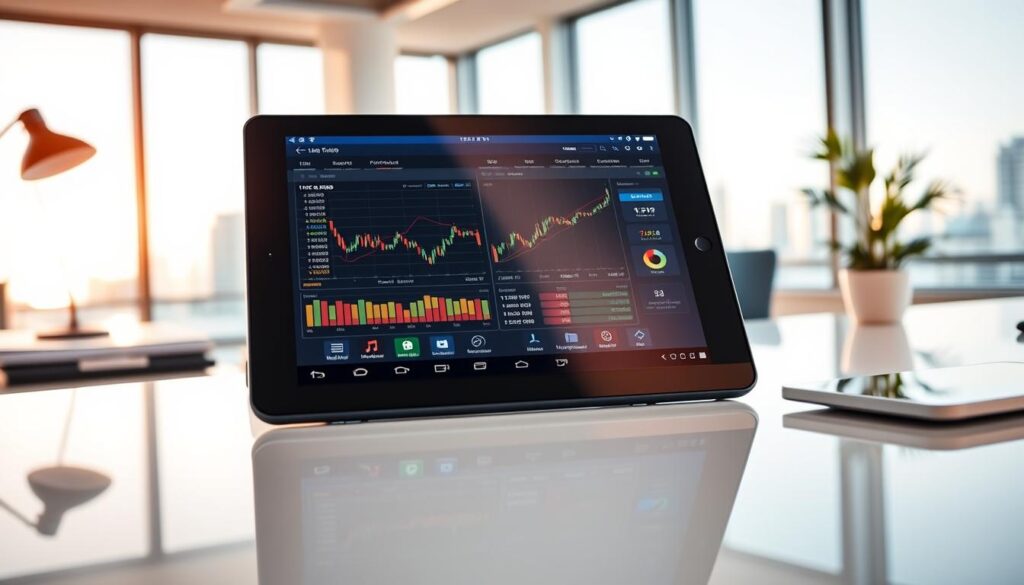
The tablet application presents a streamlined interface that simplifies market navigation for mobile traders. This touch-optimized layout organizes essential functions into clearly labeled tabs for quick access.
Five main sections guide users through the complete trading workflow. The bottom navigation bar provides instant switching between different analytical tools.
User-Friendly Navigation Tips
The Home screen serves as a comprehensive dashboard showing account details and recent activity. Traders can quickly check their balance, equity, and transaction history at a glance.
Gesture controls enhance the mobile trading experience significantly. Pinch-to-zoom allows detailed chart analysis while swipe gestures enable seamless navigation between timeframes.
The Quotes tab displays real-time prices for various financial instruments. Users can customize their watchlist by tapping the plus icon to add preferred assets.
Chart functionality supports technical analysis with multiple indicator options. The Trade section consolidates order management with clear profit/loss visibility.
Additional settings and expert advisors are accessible through the More menu. This organized approach ensures efficient market participation from any location.
Placing Trades on the TMGM metatrader 4 Platform
Trade initiation represents the critical moment when analysis transitions into actual market participation. The platform provides intuitive tools for converting trading decisions into executed positions across both desktop and mobile interfaces.
Initiating and Executing Orders
Desktop users begin by selecting their preferred instrument from the Market Watch window. Right-clicking reveals the New Order option for accessing the trade entry interface.
Tablet traders navigate to the Trade tab and tap their chosen financial instrument. The system then displays the order window with all necessary parameters.
Order type selection determines execution methodology. Market orders provide immediate fills at current prices. Pending orders allow future entry at specified levels.
Traders specify volume using lot sizes for position management. Risk parameters like Stop Loss and Take Profit help protect capital and secure gains.
Final execution occurs with a single click or tap. The platform transmits orders for rapid processing and confirmation. Real-time monitoring enables ongoing position management.
Utilizing Technical Indicators and Expert Advisors

Technical analysis tools transform raw market data into actionable insights for traders. The platform provides comprehensive analytical capabilities through built-in indicators and automated systems.
These features help market participants identify patterns and execute strategies with greater precision. Both desktop and tablet versions support these advanced functionalities.
Charting Tools and Indicator Setup
Traders access indicators through the Insert menu on desktop versions. The system offers dozens of built-in tools for trend analysis and momentum assessment.
Popular choices include Moving Averages for trend identification and RSI for overbought/oversold conditions. Each indicator provides unique perspectives on market movements.
Custom indicators expand analytical capabilities beyond standard tools. Users can import additional indicators by placing files in the appropriate platform folder.
Implementing Expert Advisors
Expert Advisors automate trading decisions based on predefined algorithms. This functionality benefits traders who cannot monitor markets continuously.
Installation requires placing EA files in the Experts directory within the platform’s data folder. After restarting the software, users can activate EAs by dragging them onto charts.
Thorough testing in demo environments is essential before live deployment. Automated strategies require ongoing monitoring and periodic optimization.
Tablet users can also implement EAs, though complex systems may demand more processing power. The platform maintains consistent automation features across devices.
Risk Management and Leverage on MT4
Effective capital protection separates successful traders from those who struggle in volatile markets. The platform provides essential tools for managing exposure across various financial instruments.
Understanding Leverage and Spreads
Leverage allows traders to control larger positions with smaller capital deposits. A 1:30 ratio means controlling £30,000 with just £1,000 margin.
This amplification works both ways, increasing potential profits and losses proportionally. Proper leverage management involves monitoring margin levels in the Terminal window.
Spreads represent the difference between bid and ask prices. Tighter spreads like 0.1 pips on EUR/USD reduce transaction costs significantly.
These lower costs improve profitability thresholds for active traders. The platform offers transparent pricing without hidden markups.
Position sizing should align with account balance and risk tolerance. Professional traders typically risk 1-2% of equity per trade.
Risk-reward ratios guide trade selection, targeting profits at least double potential losses. This approach creates positive expectancy over time.
Ultra-low spreads reduce the distance price must move before trades become profitable. This advantage particularly benefits short-term trading strategies.
Enhancing Your Trading Experience
A truly enhanced trading experience combines technological reliability with financial safety. This approach ensures every market interaction supports trader success and confidence.
Fast Execution and Secure Transactions
The platform delivers fast execution through advanced infrastructure partnerships. Orders process rapidly with minimal latency between submission and confirmation.
This speed reduces slippage and ensures prices match those displayed during order placement. The no requotes policy eliminates frustrating price rejections during volatile conditions.
Client funds remain protected in segregated accounts at Tier 1 banking institutions. This security measure separates trader capital from operational risks.
Instant deposit processing lets traders seize opportunities without payment delays. Fast withdrawals ensure quick access to profits when needed.
The combination of technological infrastructure and banking relationships creates institutional-grade conditions. This levels the playing field between professional and individual traders.
Diversifying with Multiple Trading Instruments
Smart portfolio management involves spreading investments across different financial markets. This approach helps traders reduce overall risk while capturing opportunities in various economic conditions.
Different asset classes often move independently of each other. Losses in one market can be offset by gains in another, creating more stable performance.
Forex, Shares, Indices, Metals, Energies, and Crypto
Currency trading provides access to over 60 pairs with 24/5 availability. Traders can capitalize on economic events and interest rate changes with ultra-low spreads.
Stock CFDs allow positions on hundreds of top companies worldwide. Investors can go long to receive dividends or short during market declines.
Index instruments track entire market sectors like the S&P 500 or FTSE 100. These offer broad exposure without individual company risks.
Precious metals like gold serve as safe-haven assets during uncertainty. Energy commodities respond to supply-demand dynamics and geopolitical factors.
Crypto markets operate 24/7 with significant growth potential. Digital assets provide exposure to innovative financial technologies.
Understanding correlations between these instruments enhances strategic planning. The platform simplifies access to all markets through one interface.
Additional Tips for Successful Trading
Building lasting success in financial markets requires more than just technical knowledge. It demands discipline, continuous learning, and effective strategy implementation that separates consistent performers from occasional participants.
Best Practices and Common Challenges
A comprehensive trading plan serves as the foundation for disciplined market participation. This document should clearly define entry rules, exit strategies, and position sizing methods.
Maintaining detailed journals helps traders identify patterns in both successful and unsuccessful decisions. Recording market conditions and emotional states provides valuable insights for improvement.
Common challenges include emotional overtrading and revenge trading after losses. Many market participants struggle with position sizing that exposes excessive capital to risk.
Account management discipline involves setting realistic profit targets and loss limits. Traders should commit to stopping when these limits are reached, protecting their capital from emotional decisions.
Continuous education through market analysis and community participation enhances decision-making capabilities. Combining multiple timeframe perspectives creates more robust trading strategies.
Technology utilization like price alerts and pending orders helps automate execution. Client support resources should be utilized when questions arise about platform functionality or account issues.
Final Thoughts on Mastering TMGM metatrader 4
Viewing the platform as a complete ecosystem for market analysis and execution is key to unlocking its full potential. This perspective moves beyond basic functionality to embrace advanced tools that support long-term growth.
A successful trading experience hinges on disciplined account management and high-quality execution. Traders can focus on strategy, confident in the platform’s reliability and competitive conditions.
Ultimately, mastery is a continuous journey. It blends technical skill with market understanding, turning the software into a powerful partner for achieving financial goals.